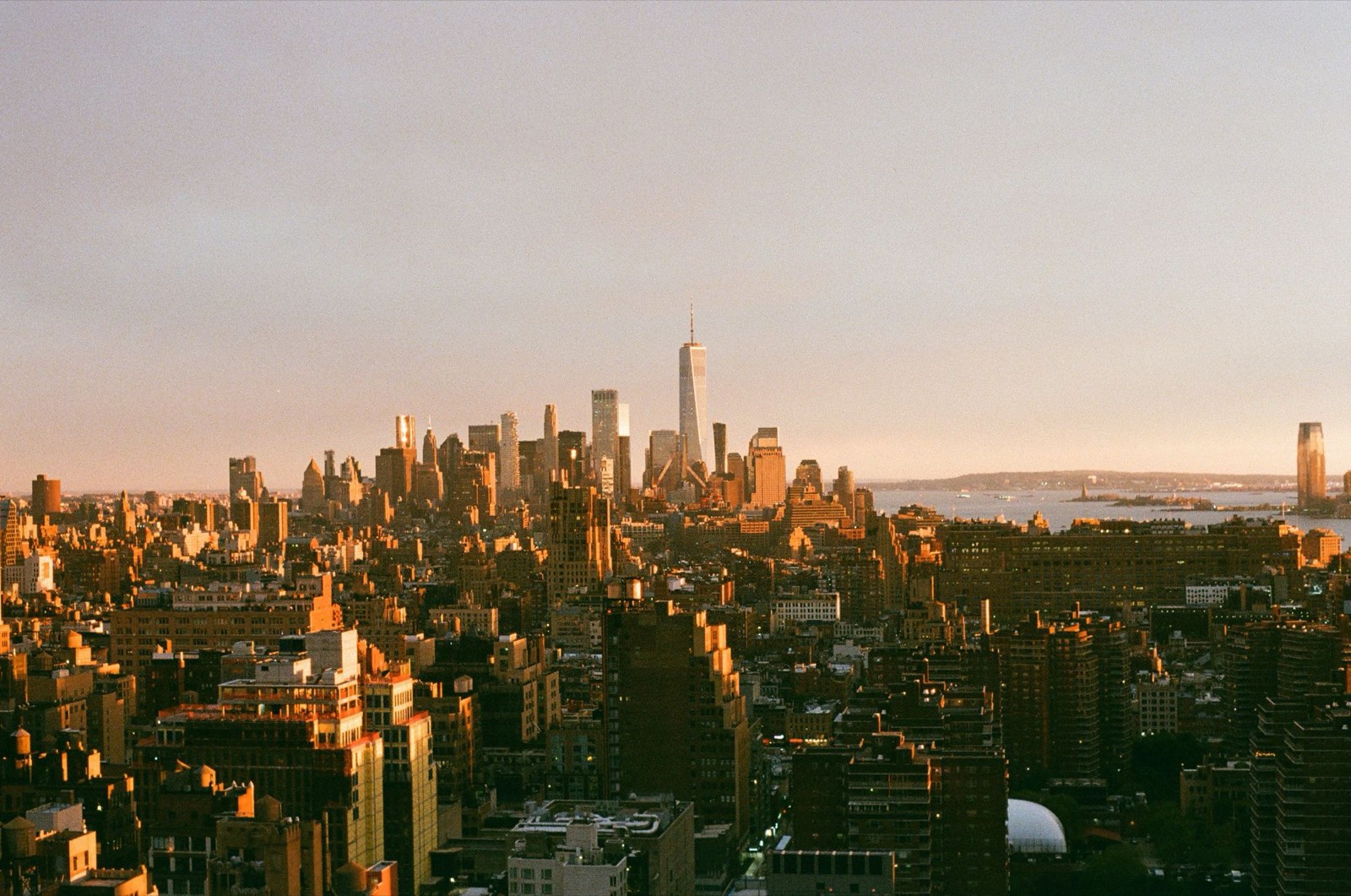
Most film apps take a finished photo and lay a look over it. Sol works the other way round: it goes back to the light your phone recorded and develops it through a model of a film, live, in the viewfinder. Here is every step, on a real photo, with Sol's own engine running in your browser.
Sol inverts the phone's tone curve back to scene exposure, then runs a per-channel film model (characteristic curves fitted to manufacturers' datasheets), OKLCh colour shaping and frame-relative grain. All of it is baked into one 3D LUT that the viewfinder, stills and video share. Every stage below is rendered live by the same engine code the apps ship, compiled for the browser.
The idea, in plain words.
The maths, the numbers and the limits.
Where Sol sits in your phone
Your phone's camera already does a lot before any app sees the picture. Sol takes over at the point where a film would: when light becomes a picture.
Third-party apps get the camera's processed output, not the phone maker's private pipeline. Sol works with what it gets, and replaces parts of it where it can do better.
01
Light
Through the lens, onto the sensor.
02
Sensor
Records how much light hit each point.
Bayer RAW, 10–14 bit, linear.
03
Phone processing
Cleans noise, merges frames, brightens shadows.
Demosaic, NR, multi-frame HDR, local and global tone mapping. On Android, Sol can align and merge its own burst first.
04 · Sol
The film
Undoes the phone's brightening, then develops the light through your film.
Inverse profile → white balance → film curves → OKLCh shaping → gamut map, baked into a LUT. Grain and detail in the shader.
05 · Sol
Viewfinder and photo
The same film, on screen and in the file.
One shader for preview, stills and video, at frame rate.
RAW modeskips the phone's processing altogether. Sol develops the sensor data itself, then runs the same film.skips step 03. Sol demosaics and denoises (scaled to ISO) on the GPU, then feeds the same film. Saves JPEG, plus DNG if you want it.
Build the frame, one stage at a time
Scroll, and watch the photo change as each stage switches on. Pick another film to see how differently each one develops the same light.
Each stage below switches on the next part of the film definition, on top of the neutral base. Every frame is a LUT built from the shipping engine in a worker, with grain and detail done in the shipping shader.
STAGE 0
What the phone hands over
The phone has already merged frames, lifted the shadows and cleaned up the noise. It's a good photo, made to look right on a screen. This is where Sol starts.
The camera's processed frame: an 8-bit sRGB preview stream, or the full-resolution still. Phone ISPs tone-map locally (differently in different parts of the frame). No global curve can fully undo that, which is why Sol's profile stays conservative.
STAGE 1
Back to the light
Film doesn't react to a finished picture. It reacts to light. So Sol first works backwards from the phone's brightened picture to how much light each point actually received.
You'll barely see a change, and that's the point. This neutral start is a film of its own, Zero, for when you want Sol's camera with no look at all.
Stage 0 evens out near-white channel noise above code 225. Then Sol decodes sRGB to linear Rec.709 and inverts the phone's tone curve, which was measured from photographed grey wedges, back to scene exposure: mid-grey at 0.18, with headroom capped at about 2.8 stops above it.
A grey ramp through this neutral base comes back within 1.5 codes, and colours within 0.01.
STAGE 2
White balance
Every film has its own idea of white. Amber 200 is set to 5,900 K, a touch warm. In your recipe you can move it in 32 even steps, like warming and cooling filters on a lens.
CAT16 chromatic adaptation from the film's reference white. Colour films in Sol use an identity colour matrix today; their colour character comes from per-channel curves (stage 3) and OKLCh shaping (stage 4). The recipe moves white balance over 33 values from 3,000 to 7,000 K: 32 steps evenly spaced in mired (10⁶ ÷ K) and rounded to 50 K, so every step looks the same size.
White
5900 K
Tint
0
Mired
169
STAGE 3
The curve: the heart of a film
Every film has a toe (how shadows fade in), a straight section (its contrast) and a shoulder(how highlights roll off instead of clipping). Sol gives red, green and blue their own curve. That's how a film warms its highlights or cools its shadows.
RedGreenBlueToneZero
Grey in, Amber 200 out. A moderate curve. The channels part ways: that's the film's colour crossover.
Per-channel characteristic curves in log exposure: toe, slope (gamma), shoulder and a black level. Their start comes from the density curves (D-log E) digitised from the manufacturer's datasheet, to about ±0.02 density, then finished by eye. Different slopes per channel give colour crossover.
The recipe's Shadows and Highlights act here, in exposure, before the curve. They work like changing development, not like a brightness slider.
Slope R·G·B
0.95·0.95·0.92
Toe
0.70
Shoulder
0.20
RedGreenBlueDensity
The published characteristic curve for a consumer ISO 200 colour negative, as digitised for Amber 200 (gamma 0.56). A negative gets denser with more light. Sol takes the shape of these curves (toe, gamma, shoulder) as the start of its own positive curve.
STAGE 4
Colour, the film's way
Films have favourite colours: richer greens, deeper skies, gentler skin. Sol adjusts up to six colour ranges, keeps skin from going orange when you add saturation, and lets the brightest colours fade toward white the way film does.
Shaping happens in OKLCh, where lightness, colourfulness and hue are separate, so changing one doesn't drag the others. There's a global chroma, then up to six hue bands (centre, width, hue shift, chroma, lightness). Skin protection holds back added saturation around 40–70°. Highlight roll-off desaturates as every channel reaches its shoulder. Out-of-gamut colour is compressed with a soft knee and never hard-clipped.
Chroma
×1.05
Skin hold
0.5
Roll-off
0.5
×1.10
×1.20 −3°
×0.95 −8°
×0.95
×1.15
0°redyellowgreencyanbluemagenta360°
Amber 200's 5 colour bands. Bar height shows how much colour each band adds or removes; degrees show the hue nudge.STAGE 5
Grain and detail
Grain is sized to the picture, not to your screen's pixels. The live preview, a 12 MP photo and a 48 MP photo all carry the same grain. Like film, it's strongest in the midtones and quieter in deep shadow and bright highlights.
Grain amplitude is the recipe amount × the film's grain profile over OKLab lightness. Size is set in grain cells across the frame's short side, so it's independent of resolution. Colour films add a little chroma grain; mono films stay mono. Sharpening and clarity work on OKLab L before the LUT, so they never shift colour.
Grain
26
Cells, short side
1,500
Colour grain
0.18
STAGE 6
One table, viewfinder and photo
Everything above is baked into one colour table that your phone's graphics chip applies to every frame. The viewfinder and the photo use the same table, so the photo you keep is the one you saw.
Hold Phone on the photo to compare with where we started.
Stages 0–4 are evaluated once into a 65³ float 3D LUT, sampled with tetrahedral interpolation in one shader shared by preview, stills and video, with 10-bit output where the platform allows. iPhone and Android run the same engine and the same film files, checked against shared golden images. This page builds a 25³ LUT so it stays quick in a browser.
00The phone's photo
Developing…Hold to see the phone's photo, before Sol; let go to see this stage.
What you see is what you save.
A film camera is only honest if the viewfinder is. We shot real scenes, measured where Sol's preview and the saved photo disagreed, and fixed it.
The match was measured shot by shot against the saved still, and every gap we found has a cause and a fix. Stills still get more from the phone than the preview does, so we say "the same film", not "pixel-identical".
Same film, same table Preview and photo are graded by the same LUT and the same shader.
Colour read correctlySome phones hand over a wider colour range than apps expect. Sol reads it properly instead of shifting it.Display P3 frames were being read as sRGB on one path; fixed, with a check that keeps it fixed.
Grain that doesn't change Grain is sized to the frame, so it looks the same in the preview and in a 48 MP file.
Honest about the rest Stills get more noise reduction and resolution from the phone than preview frames. The film is the same; the detail is better.
Every way of shooting gets the same film
A film should look like itself in daylight, at night, in RAW and in video. Sol runs the same film through every mode.
Photo
A better start
On Android, Sol takes a quick burst, lines the frames up and merges them before the film goes on, for cleaner fine detail.
Android: Sol aligns and merges its own burst before the grade, avoiding the smeared "worming" texture some phones leave in fine detail. On by default. iPhone uses the system's best still.
RAW
Nothing in between
Sol develops the sensor data itself, so no phone processing sits between the light and your film.
Demosaic and ISO-scaled chroma denoise on the GPU; multi-frame RAW merge on Android; then the same LUT. JPEG, plus DNG if you want it.
HDR
Bright stays bright
On HDR screens, highlights keep their brightness, with your film still on them.
HDR photos keep their gain map. HLG video uses per-lens measured curves, with white kept at the standard reference level.
Video
The same film, moving
Live film in video, up to 4K, graded by the same shader as your photos.
Night
Low light
On Android, Sol has its own Night mode with the film applied.
Android: Sol's own Night routes, including its own night video. No phone night-mode tricks bolted on.
Coming
Night on iPhone
Sol's own night merge for iPhone. In our tests it beat the phone's own best-quality mode. Still being built.
What Sol doesn't do
Good to know before you trust a camera with your pictures.
No AI, no invented detail
Sol never generates faces, skies or texture. Merges and grades are classic image maths.
Your phone still goes first
In Photo mode the phone's own processing runs before Sol. Want nothing between the sensor and the film? Shoot RAW.
Not a scan, not a replica
Seven films start from the manufacturer's published curves and grain figures. Datasheets don't give final colour, so each one is finished by eye.
Not every film is a film
Soft Chrome is a digital look with no stock behind it. Zero is no look at all. We say so on each film.
No effects baked into films
Halation, light leaks and the like aren't part of any film, Tungsten 800 included. A film should always look like itself, so effects stay separate.
sRGB output, for now
Photos are saved in sRGB today. Whether to keep the wider P3 colour some phones capture is an open decision.
I shoot digital, but I've always chased film colour. Every app I tried showed me a guess and fixed it afterwards, and the guess was never what I'd seen.
So I built the camera I wanted: one that makes the film's decisions in the viewfinder, where a photographer actually decides. If something looks wrong to you, tell me. I read everything.
The maker of Sol
Placeholder: your wordsRewrite this note in your own words, with your specifics.
See it in your own viewfinder.
Sol is coming to iPhone and Android. One email when it's out.